Your Video May "Know You" Better Than You Think
When you record a video, the file captures more than just moving images and audio. Quietly embedded inside the container is a layer of metadata: the exact time you shot it, GPS coordinates of where you were standing, the make and model of your device, the software you used to edit it, and even hidden data tracks that can carry location telemetry.
Most people never notice this information—until it becomes a problem. The moment you share that clip on social media, upload it to a forum, or send it to a stranger, all of that hidden data can travel with it. Suddenly, a casual home video could reveal your home address, your daily routine, or the phone you carry every day.
The good news is that stripping this data is straightforward, and you don't have to sacrifice video quality to do it. In this guide, we'll break down what video metadata actually is, why it matters for your privacy, how to choose a trustworthy tool, and how to clean your videos in just a few steps—right in your browser, with nothing uploaded to a server.
What Is Video Metadata, and What Privacy Risks Does It Hide?
Common Types of Video Metadata
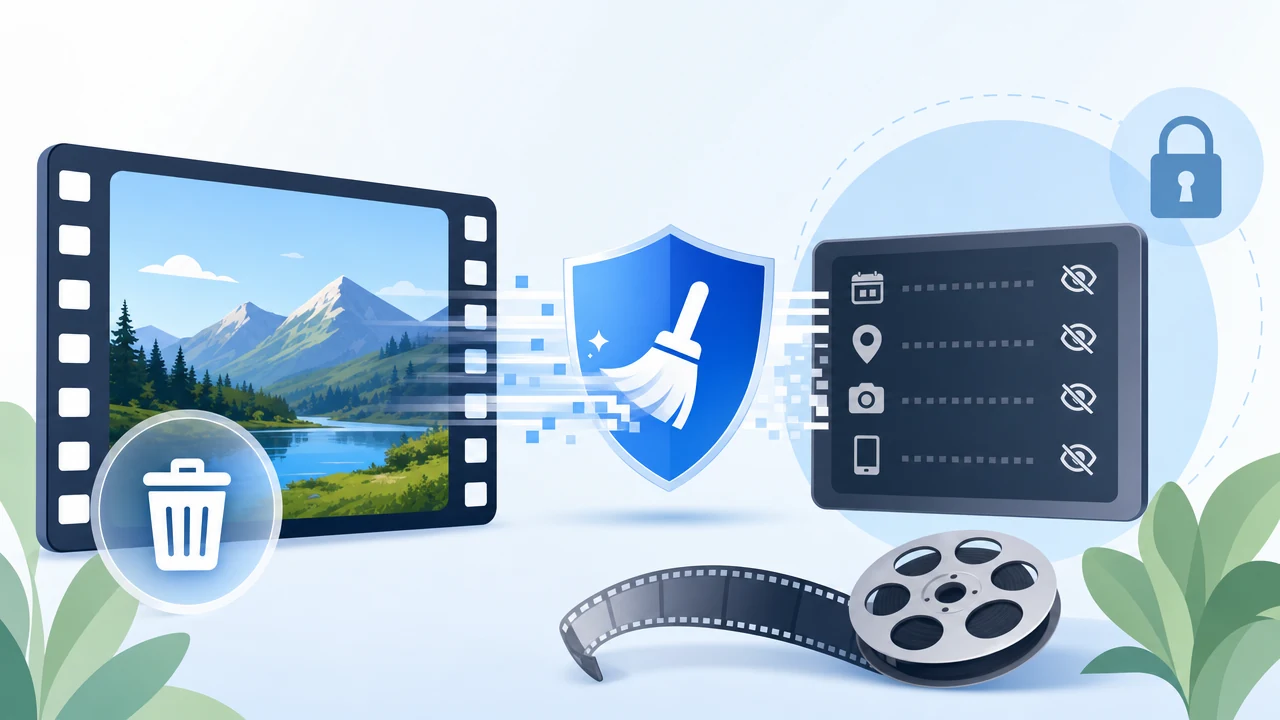
Video metadata is the descriptive and technical information stored alongside the actual audio and video streams. The most common categories include:
- Capture time and creation time — when the footage was recorded or the file was created
- GPS location data — the geographic coordinates where the video was shot
- Device model and software version — the camera, phone, or editing application involved
- Descriptive fields — titles, author names, comments, and notes
- Chapter markers and hidden data tracks — including tracks that may carry location telemetry
Some of this data is useful for organizing your own library. But once a file leaves your control, it becomes a potential liability.
The Real-World Risks of Metadata Leakage
Consider a few everyday scenarios:
- Exposing your live location. Sharing a video with embedded GPS coordinates can reveal exactly where you are, or where you frequently spend time.
- Device fingerprinting. The device and software details in a file can be used to identify or track you across the content you post.
- Inferring your routine. Combine timestamps with locations across several videos, and it becomes possible to map out your habits and movement patterns.
This isn't a fringe concern. A whole category of online tools has emerged to clean metadata from images, videos, PDFs, and other file types—a clear signal that awareness of privacy protection is rising. The challenge is finding a tool that removes this data safely, without introducing new risks of its own.
How to Choose a Reliable Video Metadata Removal Tool
Before you trust any tool with your files, it helps to have a few clear criteria in mind:
- Does it process locally? This is the single most important factor. Tools that upload your video to a remote server introduce a new exposure point. The safest approach—used by privacy-focused image tools that process entirely in the browser—keeps your file on your own device the whole time.
- Does it support batch processing? If you manage a lot of footage, cleaning files one at a time is tedious. Batch handling saves time and is essential for content creators.
- Does it preserve quality? Removing metadata should never mean degrading your video. Watch out for tools that re-encode and compress your file in the process.
- What formats and file sizes does it support? Broad coverage of common containers—MP4, MOV, MKV, and more—means you won't need multiple tools.
- Is it free and easy to use? No installation, no steep learning curve, and no cost lower the barrier to protecting your privacy regularly.
Recommended Tool: Video Metadata Remover by Sodatool
Measured against those criteria, the Video Metadata Remover from Sodatool stands out as a strong, privacy-first choice.
Overview
It's a free online privacy tool built specifically for batch removal of video metadata. It supports a wide range of formats, including:
- MP4, MOV, M4V, MKV, WebM, AVI, and OGV
And it removes the metadata that matters most for your privacy:
- Capture and creation timestamps
- GPS location data
- Device and software information
- Titles, authors, comments, and notes
- Chapter markers and data tracks that may carry telemetry
Core Technical Advantages
Everything happens locally in your browser. The tool is built on FFmpeg.wasm, which means reading the video, stripping the metadata, and rebuilding the container all take place inside your own browser. Your files are never uploaded to a server.
No compression, no re-encoding. Instead of re-processing the video, the tool copies the audio and video streams directly (stream copy). Your footage stays visually identical to the original. The file size may change slightly because the container structure is rebuilt, but the picture quality does not.
Playback essentials are preserved. Resolution, orientation, HDR and color information, the audio and video streams themselves, and subtitle content all stay intact. You get a clean file that still plays exactly as intended.
What Sets It Apart
Compared to online tools that require you to upload files for server-side processing, this tool runs entirely on your machine, further reducing the risk of a privacy leak during the cleaning process itself. And compared to tools that re-encode video, it avoids both the quality loss and the long processing times that come with recompression.
Step-by-Step Guide: Batch Cleaning in Three Steps
Step 1: Add Your Video Files
Drag and drop, or click to select your files. You can add up to 10 videos at once, with each file up to 1 GB and a combined total of no more than 5 GB. Multi-select is supported, so you can queue a whole batch in one go.
Step 2: Review the Processing Queue
Once your files are added, check the list. If you accidentally included a video you don't want to clean, simply remove it from the queue. This lets you fine-tune each batch before you commit.
Step 3: Clean and Download
Click to start. The tool processes each video in sequence, locally in your browser. When it's finished, you can download each cleaned file individually, or grab them all in a single packaged download.
Handy Tips
- Confirm your file format is on the supported list before you begin.
- Large files can take a while to process—keep the browser window active so the job isn't interrupted.
Frequently Asked Questions
Will my videos be uploaded to a server?
No. Reading the video, removing the metadata, rebuilding the container, and generating the result all happen inside your current browser. Nothing leaves your device.
Will the processed video be compressed?
No. The tool uses stream copy to preserve the original video and audio encoding without re-encoding. The file size may vary slightly because the container structure is rebuilt, but the picture quality does not change.
What information can be removed?
It clears common capture and creation timestamps, GPS location, device and software details, titles, authors, comments, chapter markers, and telemetry data tracks. Technical information needed for playback—such as encoding and duration—is preserved.
Will orientation, resolution, or audio tracks change?
No. Picture orientation, resolution, HDR and color information, the video and audio streams, and subtitle content are all kept intact.
Conclusion: Privacy Starts With Cleaning Your Video Metadata
Every video you share carries more than what's visible on screen. The hidden layer of timestamps, GPS coordinates, and device fingerprints can quietly reveal far more about you than you'd ever intend. Removing that data is one of the simplest, highest-impact steps you can take to protect your privacy.
The Video Metadata Remover from Sodatool makes it easy: local processing that never uploads your files, completely free, batch-ready for handling multiple videos at once, and lossless—no compression, no re-encoding, no quality trade-offs.
Before you post your next clip, take a moment to strip its metadata first.